ECAL · Media & Interaction Design
PROCE55US
Prompt a PROCESSUS. Understand the code.
A creative-coding atelier: a notebook of steps where each cell pairs a natural-language prompt with the code a model writes for it — rendered live in a sandboxed preview.
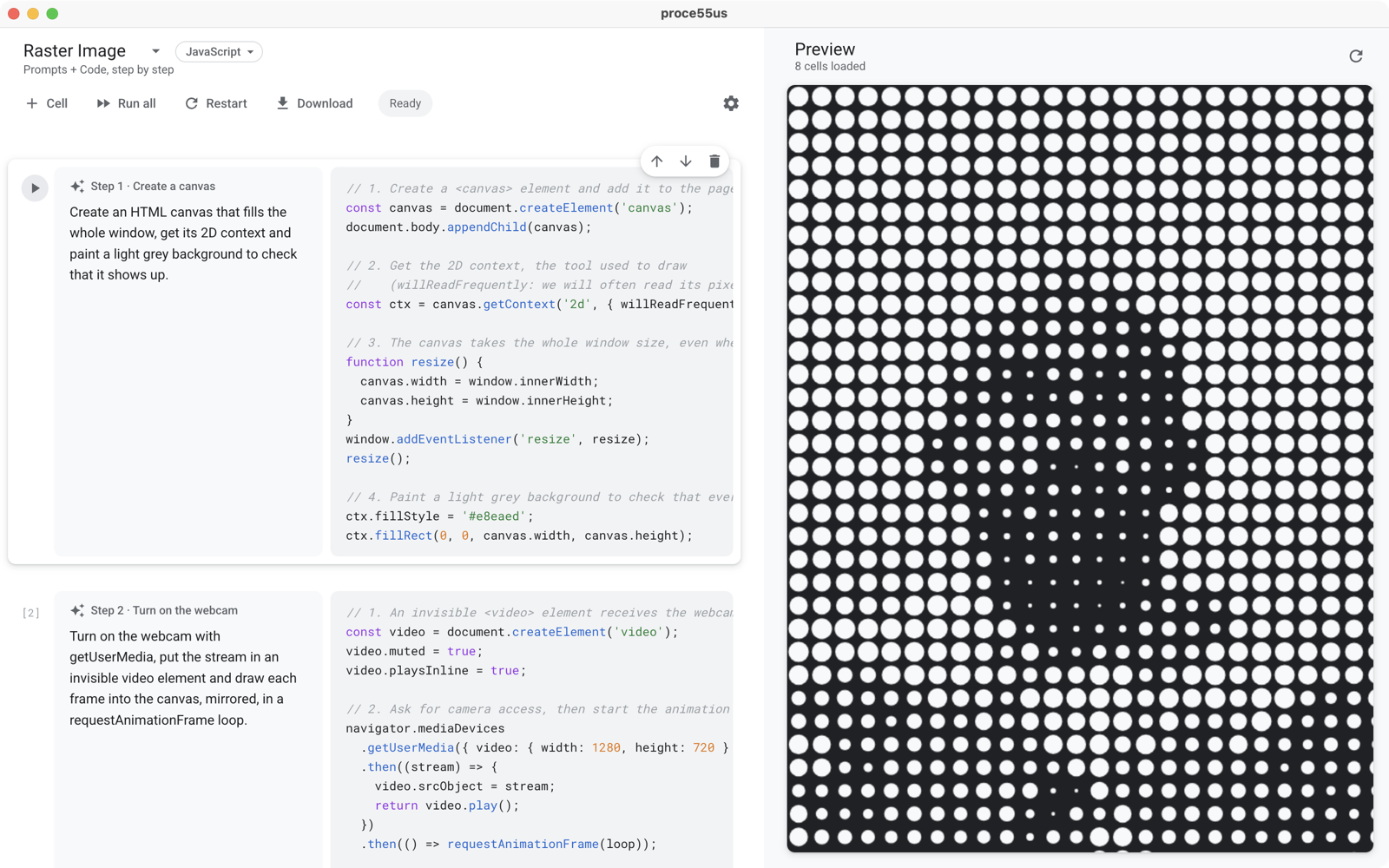
Made for teaching creative coding.
Students read a prompt, see the code it produces, tweak, regenerate — and watch the sketch evolve one step at a time.
Prompt-driven steps
Each cell is a written intention. The model generates the code; the preview runs it instantly. Edit the prompt, regenerate the code.
Editable code
The generated code isn't locked: students can read it, edit it directly in the cell, and rerun — or regenerate from the prompt.
Live preview
Cells replay in order inside a sandboxed page. No build step, no tooling — the result appears as soon as the code does.
Local-first AI
Works fully offline with LM Studio. Prefer the cloud? Switch to a free Google, Groq, Mistral or OpenRouter key in one click.
Four modes, one notebook.
Each PROCESSUS picks its environment. The preview, the instructions given to the model and the export adapt to it — with a ready-made example for each.
Canvas 2D drawing, pixels and animation loops, in plain JavaScript.
Processing's spirit for the web: setup(), draw(), shapes and interaction.
3D scenes in WebGL: meshes, lights, camera and orbit controls.
A whole web page: HTML elements, CSS and interactions — not just a canvas.
How it works.
From a plain-language idea to a standalone interactive sketch, in four steps.
Describe
Describe what the next step should do in plain language: shapes, motion, camera, or interaction.
function draw() { … }
Generate
The model writes clear, commented code for the chosen mode, taking previous cells into account.
Run & iterate
Cells replay in order in the live preview. Tweak the prompt or edit the code directly.
sketch.html
⇄ Drag & drop
Export & edit
Download the sketch as a standalone HTML file, and drag & drop it into the editor anytime to continue.

Download PROCE55US.
curl -fsSL https://proce55us.com/install | sh
brew install --cask gaelhugo/proce55us/proce55us
xattr -cr /Applications/proce55us.app
see the repository.
Set it up in two minutes.
PROCE55US needs a language model. Pick local — private and free — or a cloud key.
Local — LM Studio
recommended- Download LM Studio — free, for any Mac.
-
In its 🔍 Search tab, pick a coding model —
Qwen2.5-Coder-7Bis a good start — and click Download. - Open the Developer tab and press Start Server (port 1234). For the web editor, also turn on Enable CORS in its server settings — and allow “Local network” access in the browser's site settings if it asks.
- That's it — PROCE55US uses LM Studio by default.
Cloud — your API key
free tiers- Get a free API key from Google AI Studio, Groq, Mistral or OpenRouter.
- In PROCE55US, click the ⚙ gear in the toolbar.
- Choose the provider, paste the key — done.